> ## Documentation Index
> Fetch the complete documentation index at: https://docs.trydepth.ai/llms.txt
> Use this file to discover all available pages before exploring further.
# GitHub
> Connect your GitHub repositories to Depth AI
To use Depth AI with your GitHub repositories, you'll need to first connect and authorize your GitHub account. This guide walks you through the setup process.
Navigate to [GitHub Integration Settings](https://app.trydepth.ai/new-settings/integrations/github) and click the "Connect" button to start the authorization process.
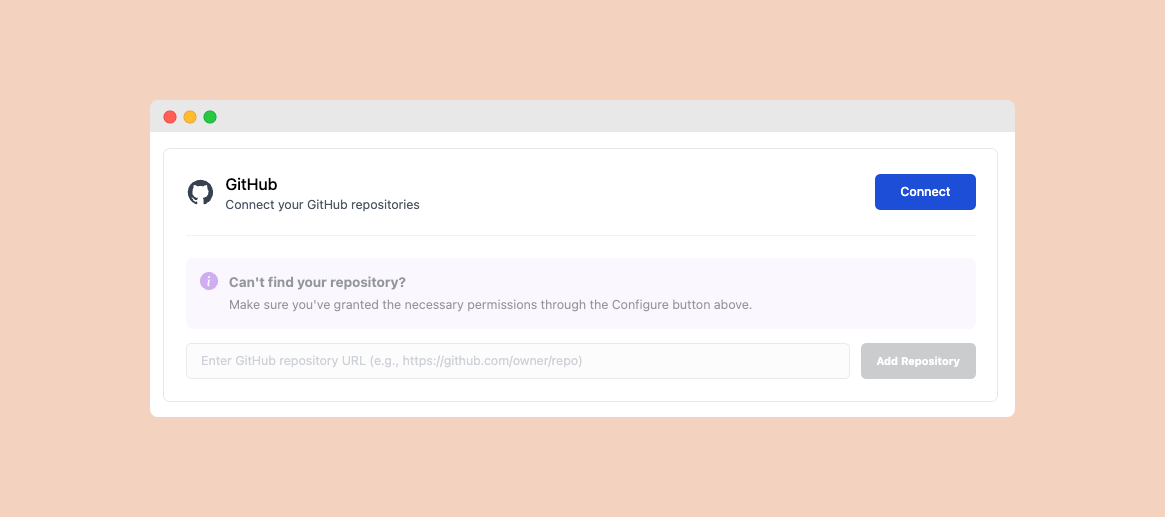 After authorizing, click the "Configure" button to set up the GitHub App installation.
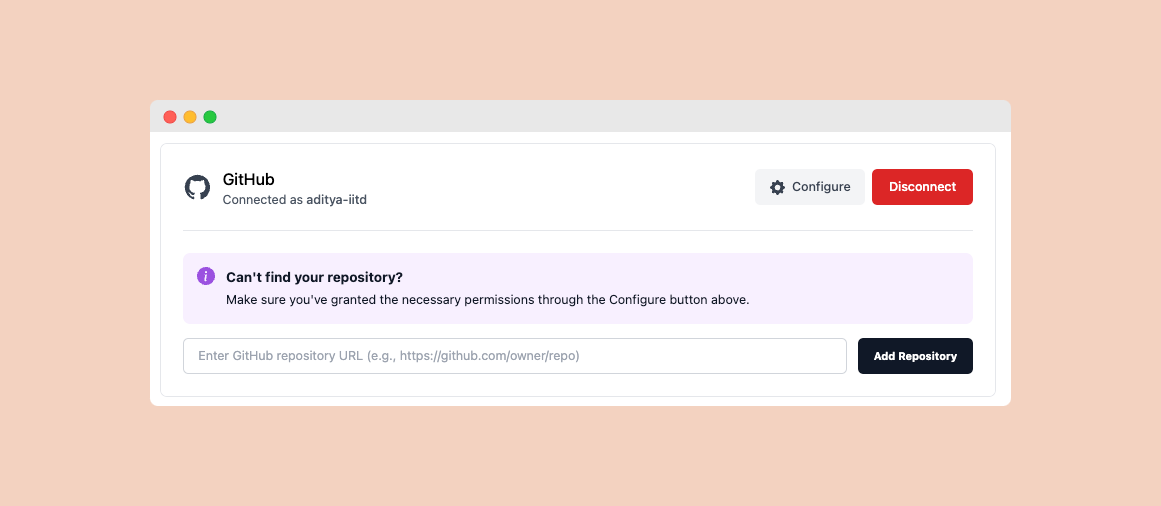 On the GitHub page, select which repositories you want to grant access to. You can choose:
* All repositories
* Only select repositories
On the GitHub page, select which repositories you want to grant access to. You can choose:
* All repositories
* Only select repositories
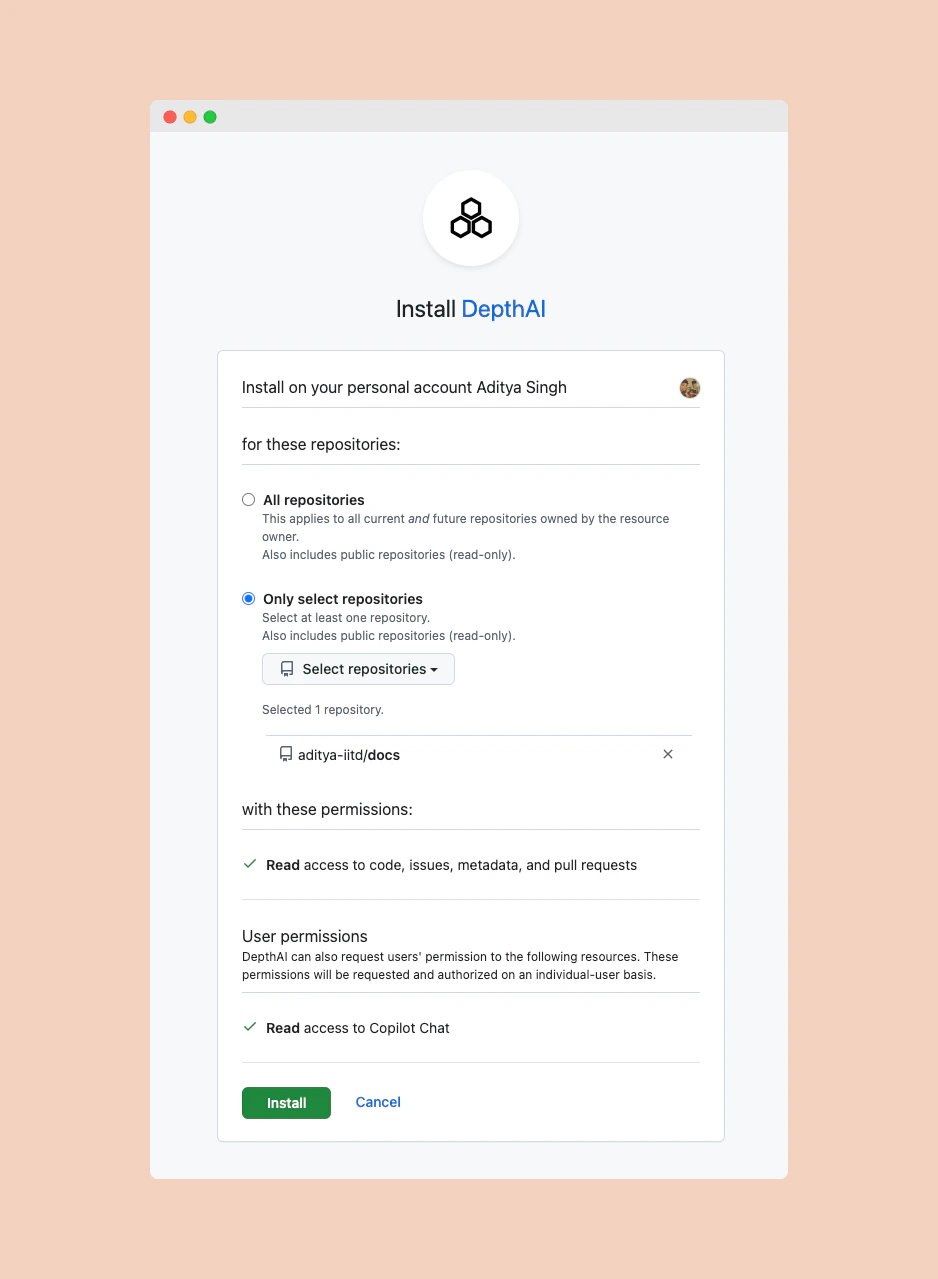 Make sure to grant read access to the repositories you want to chat with using Depth AI.
## Next Steps
Now that you've connected GitHub, you can:
Learn how to add and index your repositories
Use Depth AI directly in your IDE with GitHub Copilot
Make sure to grant read access to the repositories you want to chat with using Depth AI.
## Next Steps
Now that you've connected GitHub, you can:
Learn how to add and index your repositories
Use Depth AI directly in your IDE with GitHub Copilot